
Your first two weeks: setup checklist
Use this checklist to get your practice ready before your first members arrive. Work through it in order. Each step links to the article that walks you through it.
Who can do this: Practice owners (practice staff can help with most steps) · Available on: All plans
Checklist
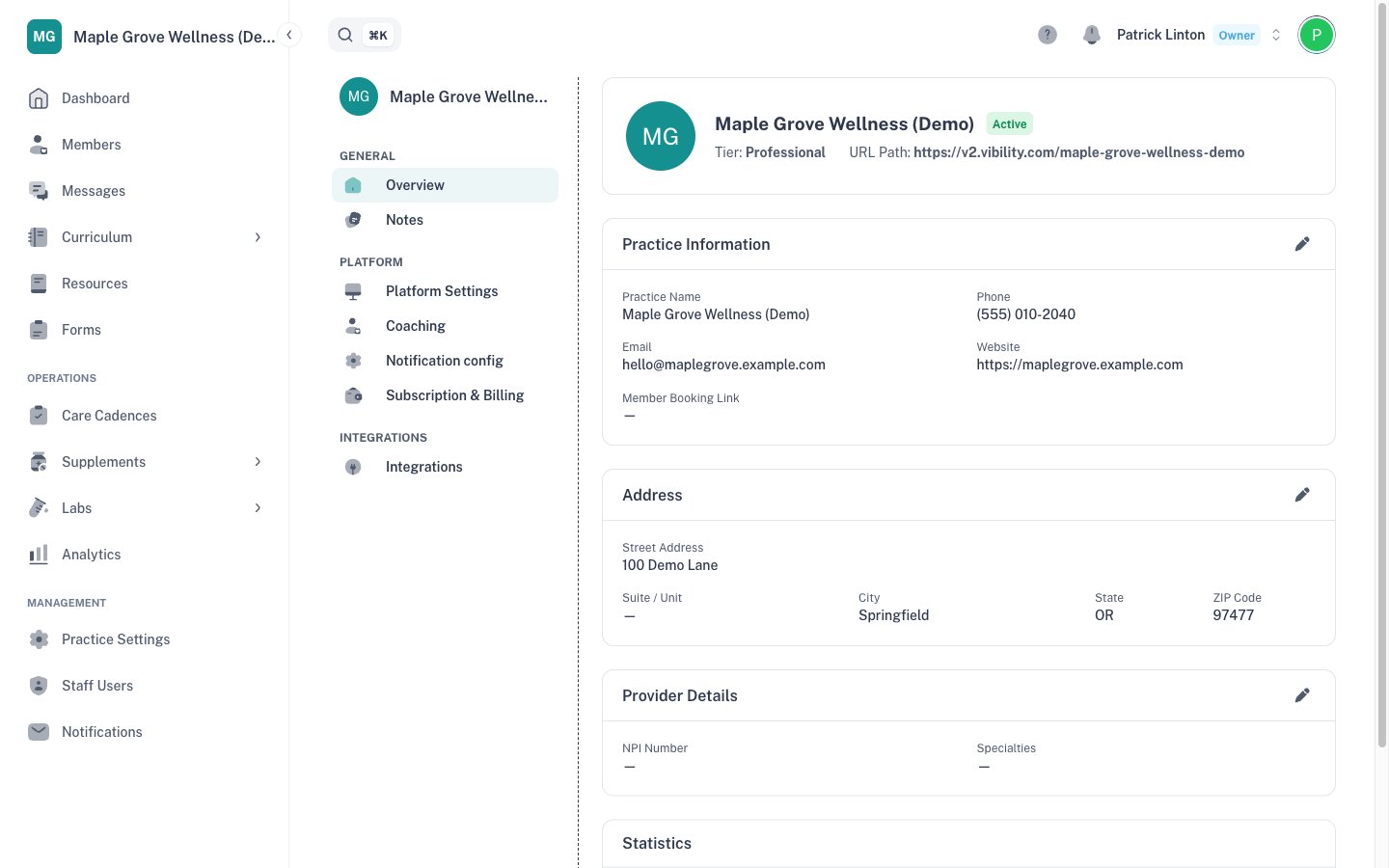
- Practice information. In Practice Settings → Overview, check that your practice name, address and provider details are correct. See Practice information and contact notes.
- Staff and coaches. In Staff Users, add your team with the right role for each person. Roles decide what each person can see and change. See Adding staff and coaches and Roles: what owners, staff and coaches can do.
- Payment method. In Practice Settings → Subscription & Billing → Payment settings, add a card. You can't register members until one is on file. See Payment method and invoices and How billing works: activation, monthly platform fee and coaching.
- Plans in your Practice Catalog. In Curriculum → Library, add the plans you'll offer. Only plans in your catalog can be assigned to members. See The Library and your Practice Catalog.
- Supplement protocols. In Supplements → Protocols, add the protocols you use to your catalog. They're then ready to assign at registration. See Supplement protocols and your catalog.
- Care cadences. In Care Cadences, add the coaching and check-in schedules you offer. Only cadences in your catalog can be chosen at registration. See Care cadences and your cadence catalog.
- Your first member. Register one member and check that their plan, cadences and billing look the way you expect. See Registering your first member.
Good to know
- What you can add depends on your subscription. For example, Starter includes up to 3 custom plans and 1 custom protocol. See Your subscription and allowances.
- Once members are active, your Dashboard is the place to start each day. See A tour of your dashboard.